
Approving on behalf of your client
By default the client is the only approver on their own posts, so every post has to pass through them. That's not always what you want: sometimes the client trusts you to make the call on a specific kind of content (evergreen material, quick fixes) and doesn't want to be woken up for it.
You can grant yourself approval rights on a per-client basis.
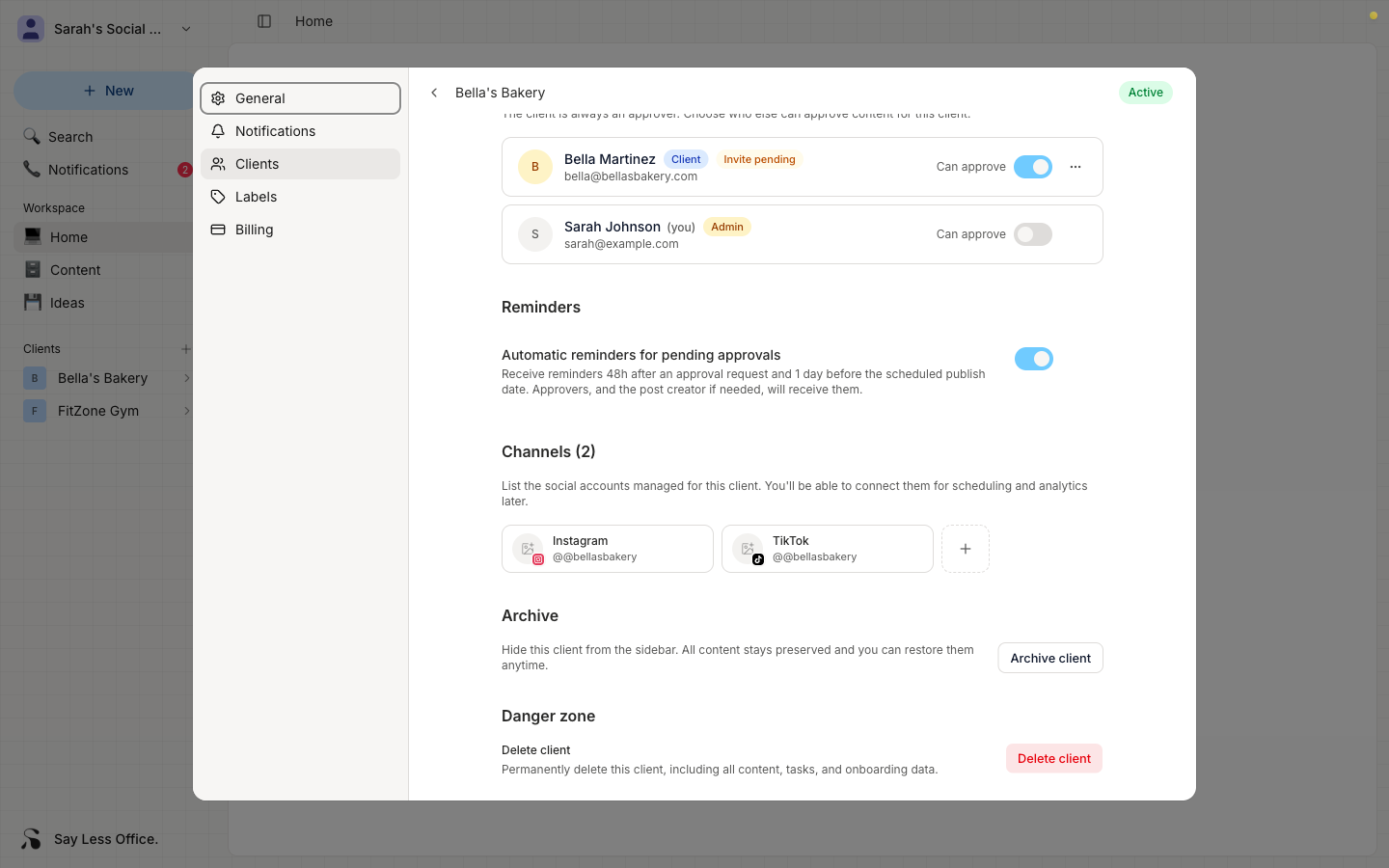
How to make yourself an approver
- Open the client's settings from the sidebar gear icon.
- Scroll to the Members section.
- Find your own row and flip the Can approve switch on.
What changes on posts once you're an approver
From then on, you can approve any draft on that client's posts yourself. The post skips Review needed entirely and jumps straight to Approved.
The client is still an approver too. You're not replacing them, you're adding yourself so a post doesn't have to sit in their inbox before it can move.