
Automatic approval reminders
Automatic reminders are Say Less Office's way of chasing your client when a post is sitting on their side with no action. You send the post for review, they get an email right away (the standard "please review" email). If a couple of days go by without them approving it or sending it back, Say Less Office quietly follows up with a nudge - so you're not the one sending the awkward "just checking in" DM every time a post stalls.
What the reminders do
For every client, the automatic reminders are on by default. They send an email to whoever needs to look at the post in two situations:
- 48 hours after the approval request if it's still sitting unanswered.
- One day before the post's schedule date if you've scheduled it but it hasn't been approved yet.
Turning reminders off for a specific client
Some clients don't want the extra nudges (or you'd rather handle the chase yourself). To turn them off, open the client's settings from the sidebar gear icon, then scroll to the Reminders section.
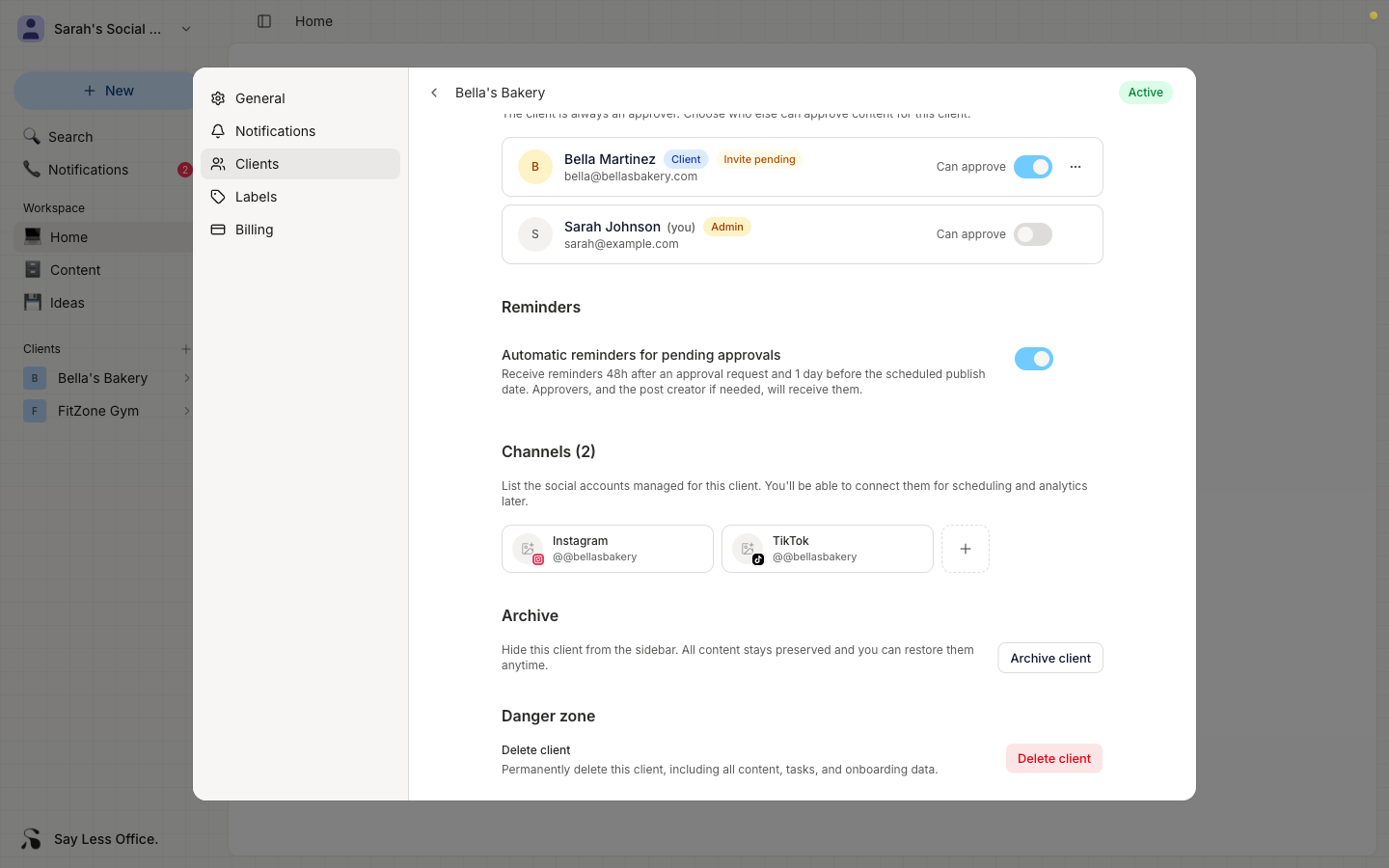
Flip the Automatic reminders for pending approvals toggle off. From then on, no reminder emails go out for any of that client's posts. Flip it back on any time.