
Deleting your account
Deleting your account is permanent. Everything goes with it: your account, your workspace, every client, every post. There is no undo.
How to permanently delete your account
- Open Settings from the account menu in the top-left of the sidebar.
- Scroll to the bottom of the General section, to the Account block.
- Click Delete account.
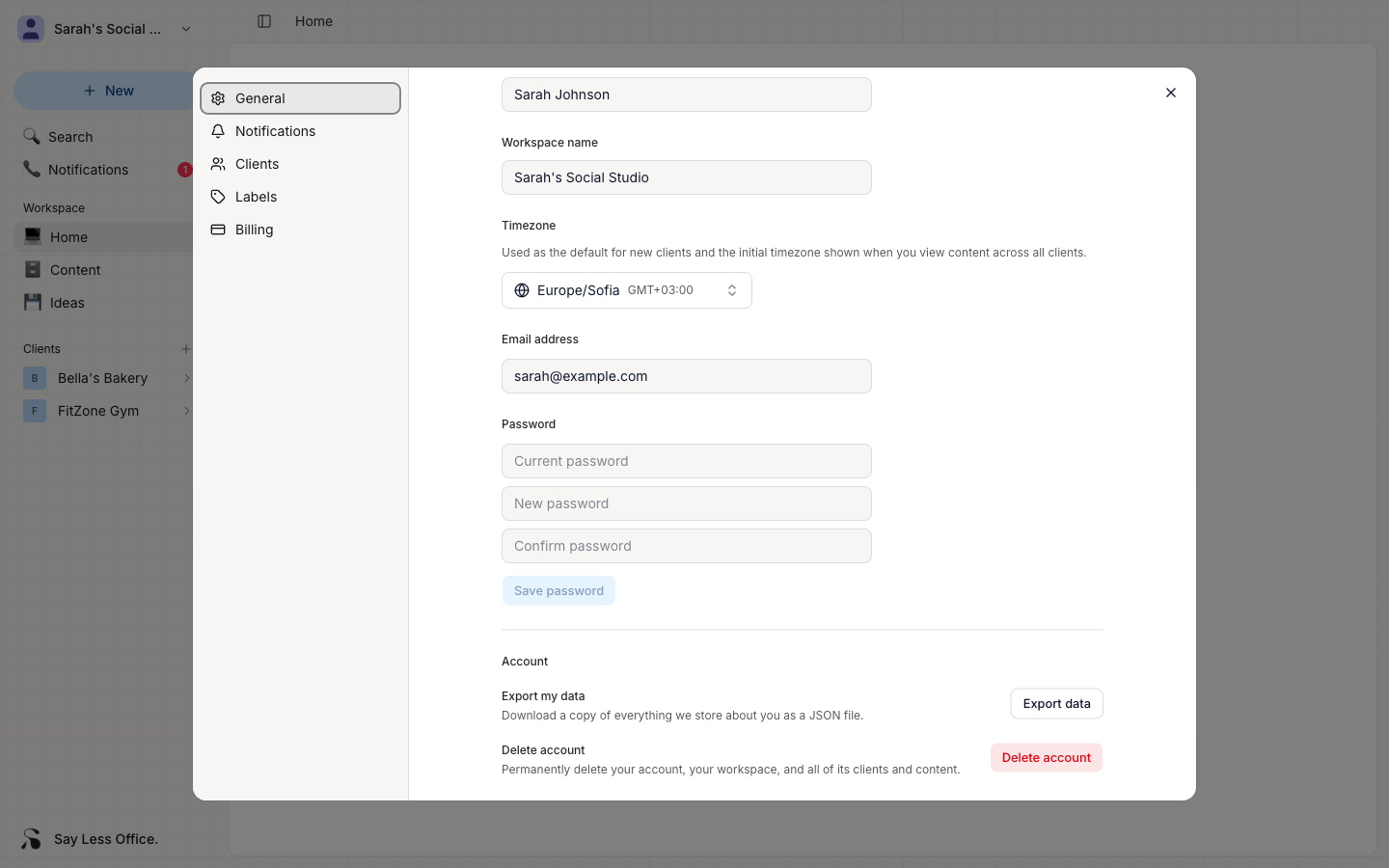
A confirmation dialog opens asking you to type your email address to unlock the delete button. This is there to make sure a stray click doesn't wipe your workspace.
Once you type it and confirm, you're signed out and sent back to the login page. Your account is gone at that point.
What gets removed
- Your account.
- Your workspace.
- Every client, all their posts, ideas, and everything else in your workspace.
- Any records tied to you.