
Adding internal notes to a post
Every post in the composer has two tabs at the top: Post and Internal. The Post tab is the client-facing side (caption, media, schedule date, everything that goes into the review). The Internal tab is a separate rich-text scratchpad on the same post, meant for you.
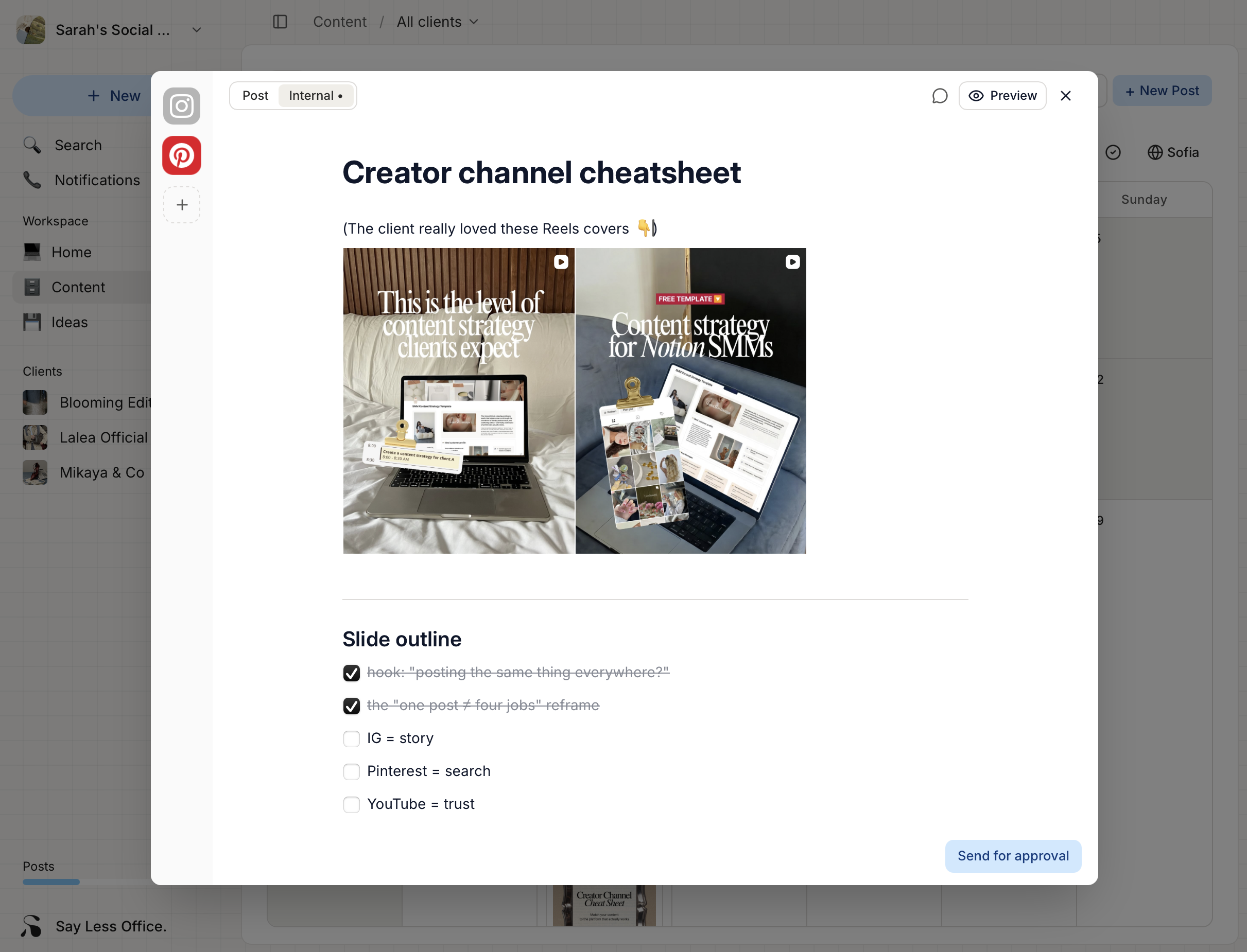
Nothing on the Internal tab reaches the client. It doesn't render in the portal, it isn't included in review emails, it doesn't show up in the approval flow. It stays in your workspace.
What the Internal tab is for
The obvious cases:
- Reminders you'd otherwise scribble in a sticky note ("swap the second image if a better shot comes in", "double-check the link before publishing").
- Context from a call or Slack thread that would help future you understand why the caption reads the way it does.
- Rough draft caption ideas you're not ready to move to the real caption yet.
- A place to keep client answers to a brief without cluttering the caption field.
If you've already used the Ideas board, the Internal tab is also where an idea's rich notes end up when you turn it into a draft. See Turning ideas into posts.
Slash commands for structuring your notes
Type / anywhere on the Internal tab to open the command menu. Everything you can do to structure a note lives there:
| Category | Commands |
|---|---|
| Text | Heading 1, Heading 2, Heading 3, Text (paragraph) |
| Lists | Bulleted list, Numbered list, Checklist |
| Media | Image (upload from your machine) |
| Library | Emoji, Snippet, Hashtags |
| Other | Quote, Divider |
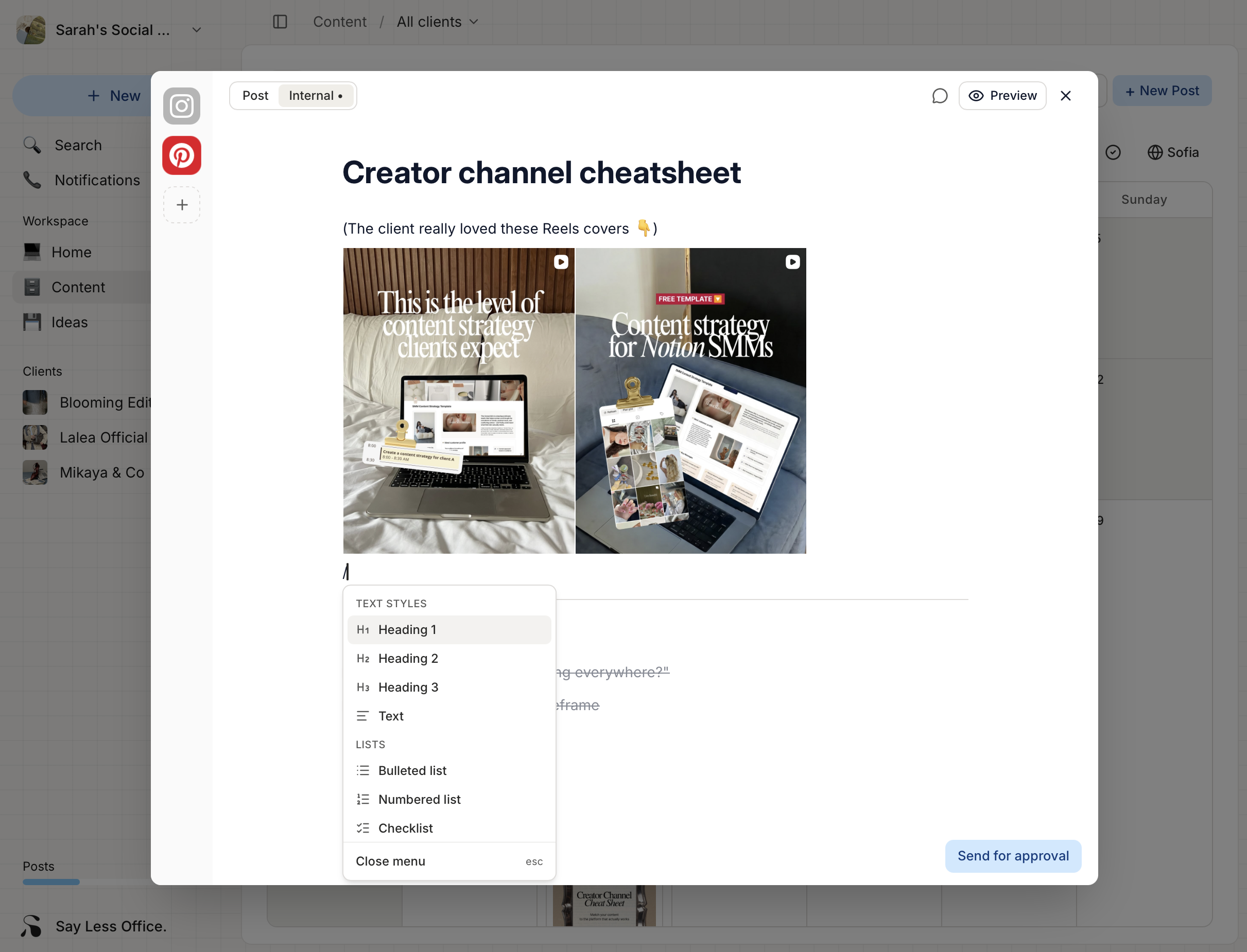
Snippet and Hashtag commands pull from the same snippet library as the caption editor - handy for standing checklists or reference blocks you re-use.