
Turning ideas into posts
Not every idea is ready to be a post. Sometimes you just want to jot down a rough concept, an image reference, a caption angle you overheard on a call. The Ideas board is where that lives before it becomes anything.
Ideas live in the sidebar under a separate Ideas link (or the Ideas tab within a client). When one is ready to become a post, a single click promotes it into a draft with everything you wrote preserved.
How to capture a new idea
- Open Ideas from the sidebar.
- Click New idea.
- Give it a title, pick which client it's for, and use the notes area to write out whatever you've got.
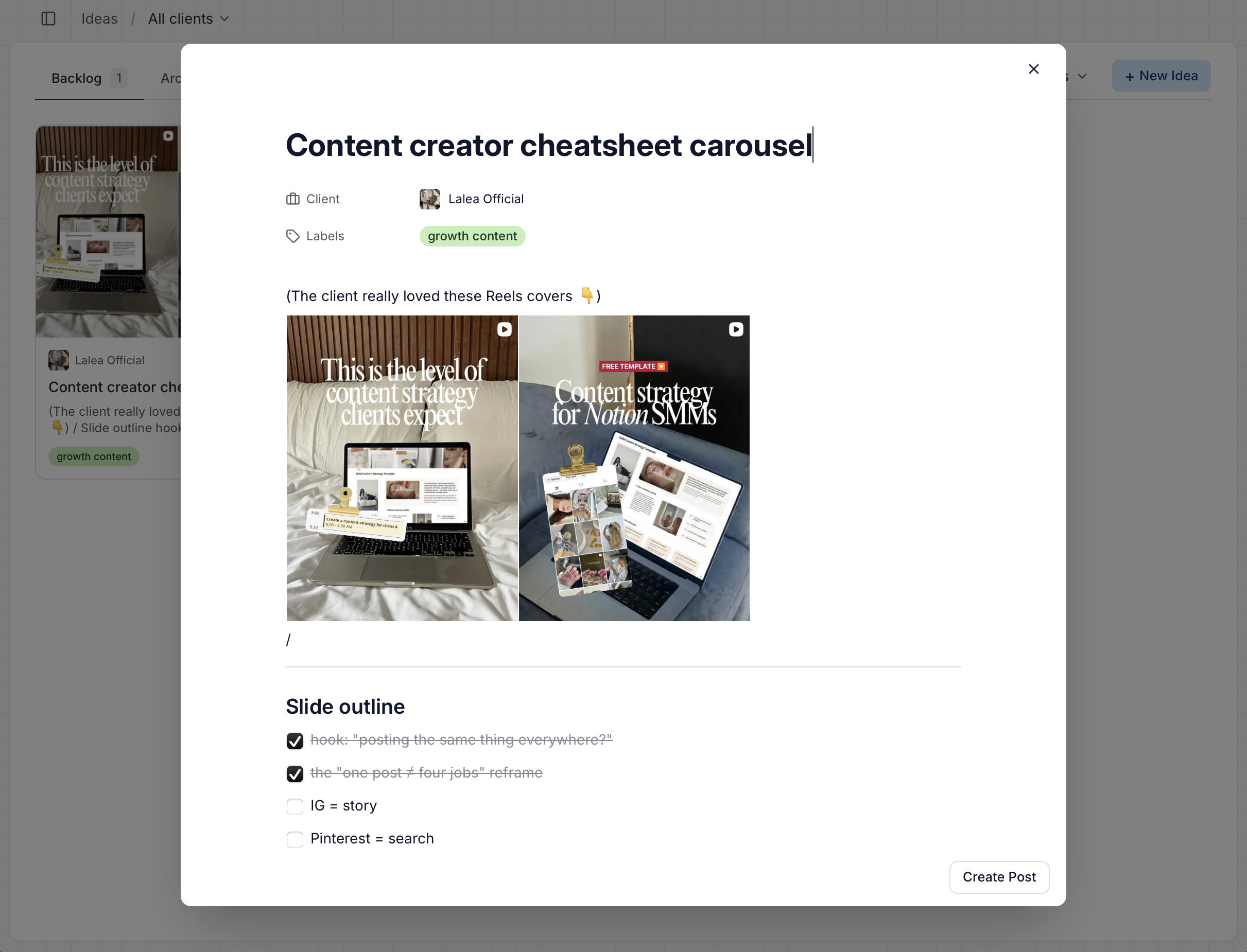
The notes area is a rich-text editor - same one used on the Internal tab of a post. Type / for the command menu.
Ideas autosave once created, same as posts - after the first save you can close the dialog and pick up later without hitting Save again.
How to turn an idea into a draft post
When an idea is ready to become a real post:
- Open the idea
- Click Create post.
- The composer opens pre-filled with a new draft post.
Here's what carries over:
- The idea's title becomes the post's title.
- Everything in the idea's rich-text editor (headings, text, checklists, images, everything) lands verbatim in the Internal tab of the new post.
- The idea's labels are added to the post.
- The idea stays scoped to the same client, so when you open the account picker only that client's channels show up.
The caption starts empty, and any reference images you kept on the idea itself stay on the idea - you upload fresh media on the post when you're ready. You still need to pick an account, write the caption, upload the final media, and set a schedule date before you send it for approval, but the raw material is right there in the Internal tab instead of in a Google Doc you have to copy-paste from.
When to use ideas vs. drafts
A rough rule:
- Draft if you already know it's going to be a post, even if the caption is rough. Drafts show up on the calendar and pipeline.
- Idea if you're still deciding whether it's a post at all, or you're collecting raw material (references, brainstorm notes, snippets of client feedback).